前回の記事で、Spring Boot を使って 名言データを扱う REST API を無事に構築しました。 今回はその続編として、その API にアクセスする Java コンソールアプリを作っていきます。
API が完成したら、次に知りたくなるのは
- 「じゃあクライアントはどう作るの?」
- 「Java から HTTP で叩くってどうやるの?」
といった “API の使い方” の部分。
この記事では、エクリプスを使って
- Maven プロジェクトの作成
- API への接続チェック(まずは JSON が取得できるか確認)
- 受信した JSON を解析する一般クラスの作成
- メニュー式のコンソールアプリの実装(一覧・作成・更新・削除)
といった流れで、API クライアントを段階的に完成させます。
Spring Boot でバックエンドを作れるようになったら、 次は “クライアントアプリ側からどう使うか” を理解すると、一気に開発の幅が広がります。
では、Java で API を扱う最初の一歩を踏み出していきましょう!🚀
プロジェクト作成
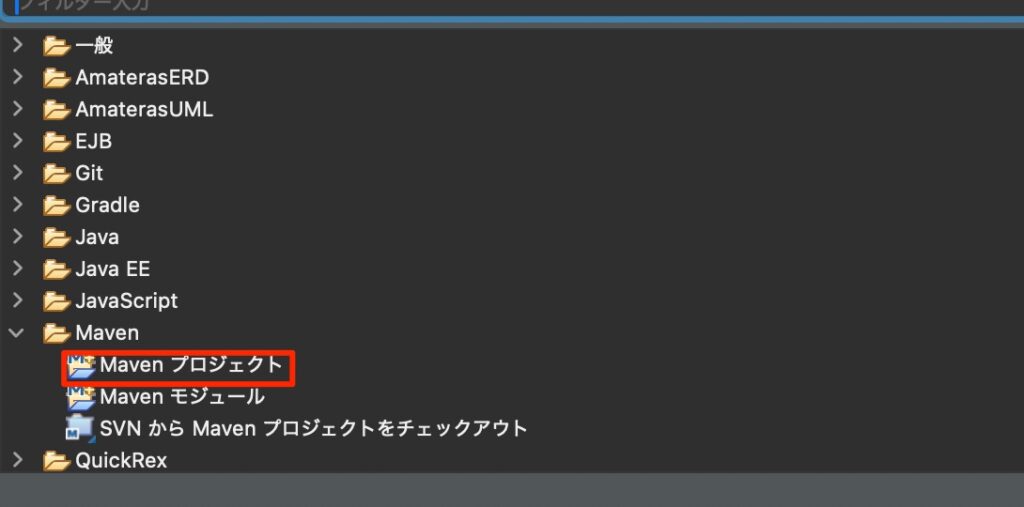
- eclipseで新規 > その他 > Maven > 新規Mavenプロジェクトを選択して次へ
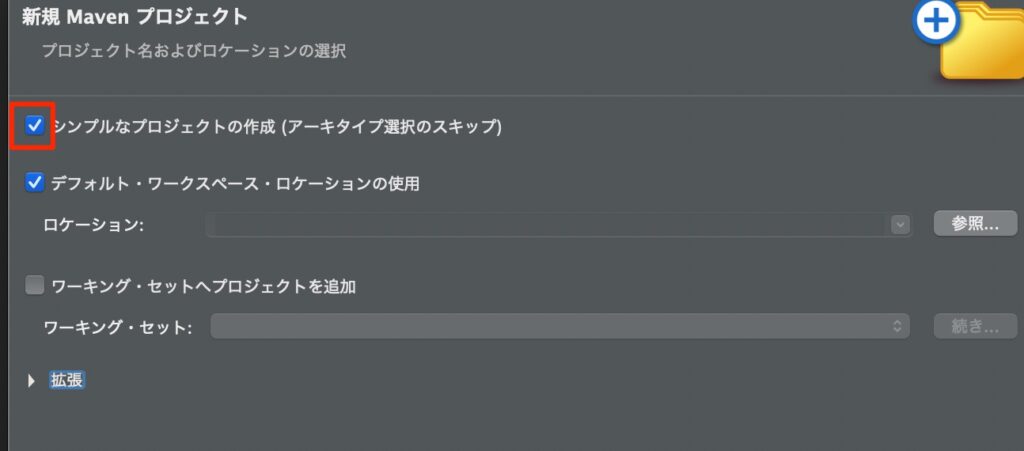
- シンプルなプロジェクトにチェック > 次へ
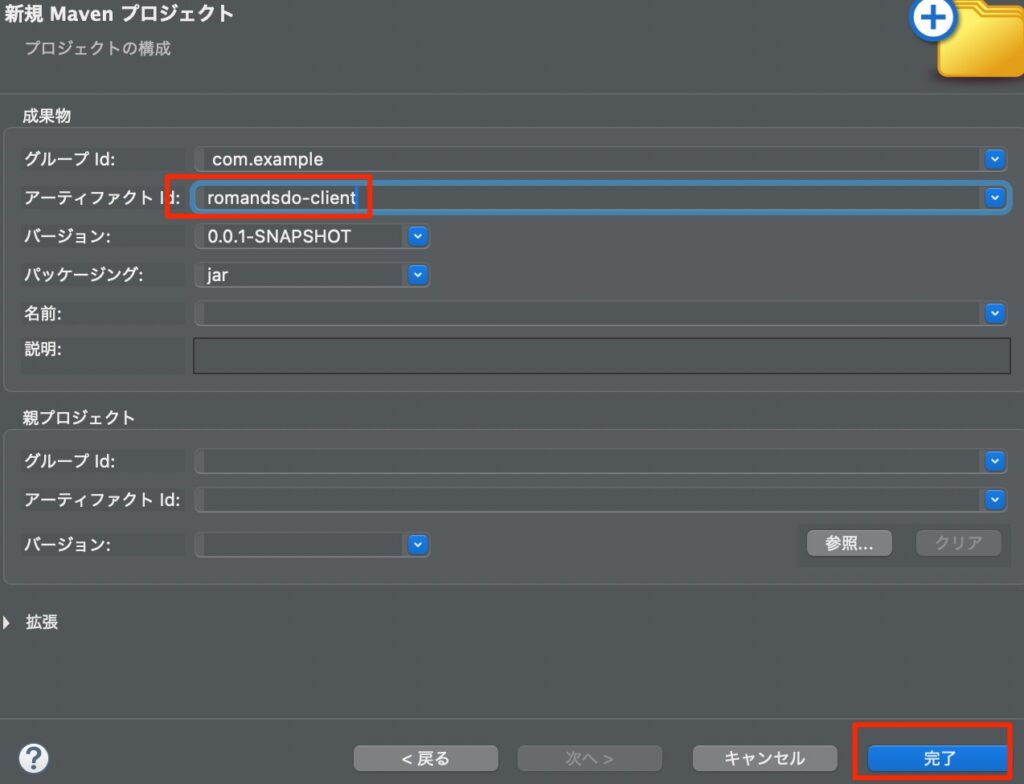
- アーティファクトIdにアプリ名を入れて完了(今回はromandsdo-clientとした)
- グループIdは任意文字列
Javaバージョンの確認
今回のアプリはJava11以降のバージョンが必要だ。確認しよう。
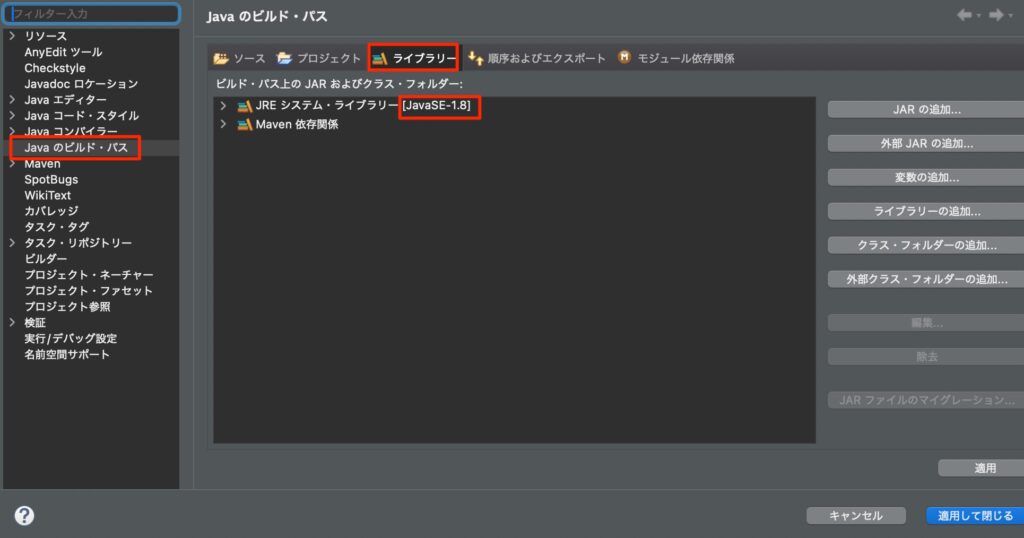
- エクリプス上でアプリ名を右クリック > プロパティ > Javaのビルドパス > ライブラリー
- 今回は1.8が選ばれてるので変更しよう。(1.8では動かない)
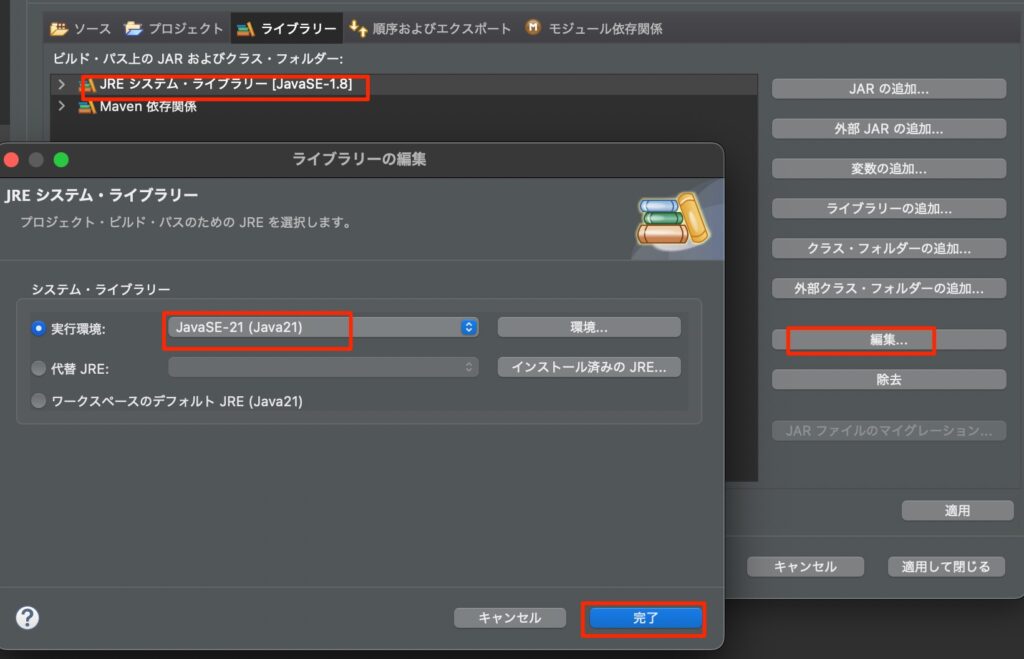
- 1.8を選択 > 編集 > 11以降のバージョン(今回は21) > 完了
pom追記
- 先程、設定したJavaのバージョンを指定する
- これをしておかないと、更新したときにバージョンが変わってしまうことがある
- 今回はJsonパーサーにJacksonを使う
<project xmlns="http://maven.apache.org/POM/4.0.0" xmlns:xsi="http://www.w3.org/2001/XMLSchema-instance" xsi:schemaLocation="http://maven.apache.org/POM/4.0.0 https://maven.apache.org/xsd/maven-4.0.0.xsd">
  <modelVersion>4.0.0</modelVersion>
  <groupId>com.example</groupId>
  <artifactId>romandsdo-client</artifactId>
  <version>0.0.1-SNAPSHOT</version>
  <properties>
    <maven.compiler.source>21</maven.compiler.source>
    <maven.compiler.target>21</maven.compiler.target>
  </properties>


  <dependencies>
  	<dependency>
   		<groupId>com.fasterxml.jackson.core</groupId>
    	<artifactId>jackson-databind</artifactId>
    	<version>2.19.4</version>
	</dependency>
  </dependencies>

</project>
接続チェック
- それではAPIに接続できるかをチェックするコードを作成しよう。
- まずは前回作成したRESTAPIを起動し、ブラウザで以下のURLをいれて結果をみよう
http://localhost:8080/quotes- 以下のようにJSONが出力されればOKだ。
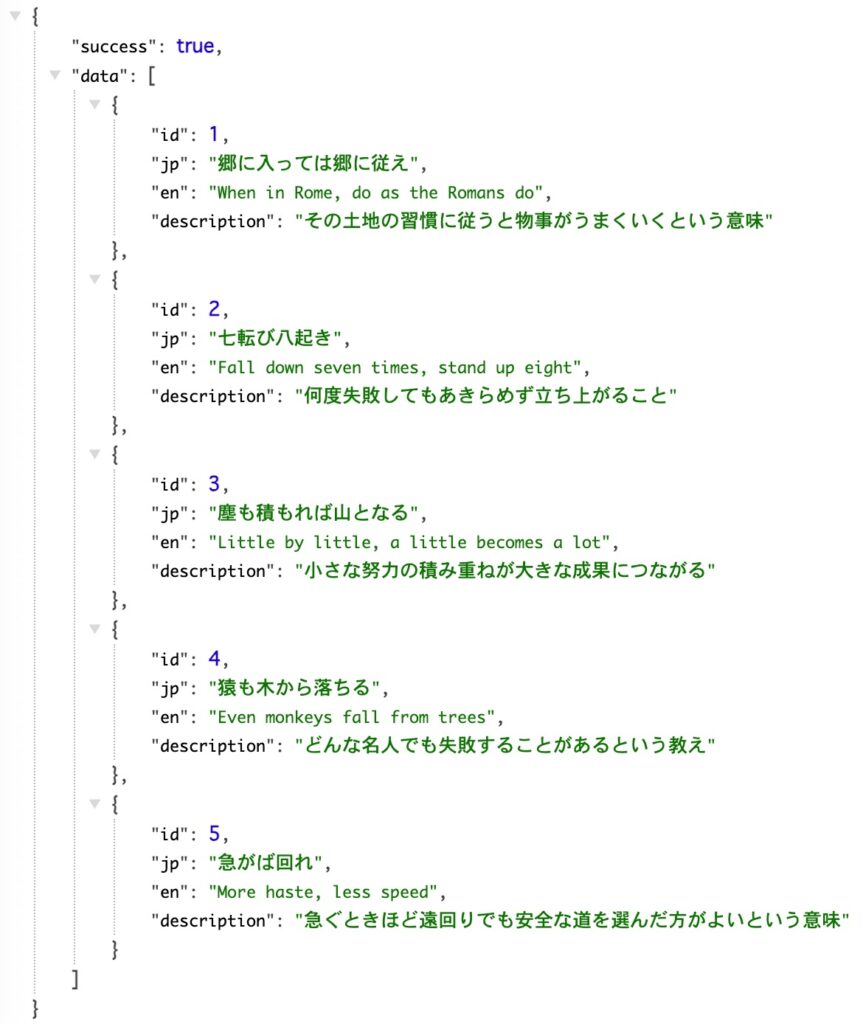
- 無事に表示できたら、JavaからこのAPIへまずはちゃんと接続できるかを確認するコードを以下のように作成する。
- ConnectionTest.java
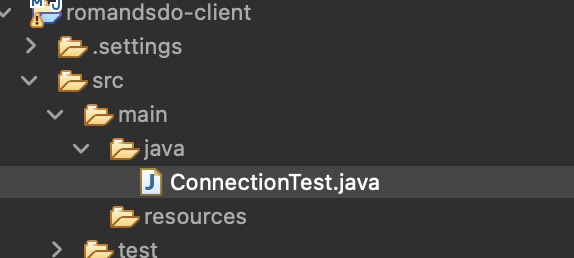
import java.net.URI;
import java.net.http.HttpClient;
import java.net.http.HttpRequest;
import java.net.http.HttpResponse;

public class ConnectionTest {

    public static void main(String[] args) {

        try {
            // 1. HttpClient を作成
            HttpClient client = HttpClient.newHttpClient();

            // 2. GET リクエスト作成
            HttpRequest request = HttpRequest.newBuilder()
                    .uri(URI.create("http://localhost:8080/quotes"))
                    .GET()
                    .build();

            // 3. 送信してレスポンスを取得
            HttpResponse<String> response =
                    client.send(request, HttpResponse.BodyHandlers.ofString());

            // 4. 結果を表示
            System.out.println("ステータスコード : " + response.statusCode());
            System.out.println("レスポンス本文 :");
            System.out.println(response.body());

        } catch (Exception e) {
            e.printStackTrace();
        }
    }
}- エクリプスで実行してみよう。以下のようにJSONを取得できれば成功だ

アプリ作成
通信し、データが取得できることがわかったのでメニュー形式のCRUDアプリを作成していこう。
メニュー形式でデータの操作ができるアプリだ。
実行例
==== RomansDo Client ====
1. 一覧 2. 作成 3. 更新 4. 削除 5. 終了 >>1
[1] 郷に入っては郷に従え
When in Rome, do as the Romans do
その土地の習慣に従うと物事がうまくいくという意味

[2] 七転び八起き
Fall down seven times, stand up eight
何度失敗してもあきらめず立ち上がること

[3] 塵も積もれば山となる
Little by little, a little becomes a lot
小さな努力の積み重ねが大きな成果につながる

[4] 猿も木から落ちる
Even monkeys fall from trees
どんな名人でも失敗することがあるという教え

[5] 急がば回れ
More haste, less speed
急ぐときほど遠回りでも安全な道を選んだ方がよいという意味


==== RomansDo Client ====
1. 一覧 2. 作成 3. 更新 4. 削除 5. 終了 >>2
日本語 >>笑う門には福来る
英語 >>Fortune comes to a merry home
説明(任意)>>笑顔でいれば良いことが起きるという意味
登録しました:
[6] 笑う門には福来る
Fortune comes to a merry home
笑顔でいれば良いことが起きるという意味


==== RomansDo Client ====
1. 一覧 2. 作成 3. 更新 4. 削除 5. 終了 >>3
更新するID >> 3
現在:
[3] 塵も積もれば山となる
Little by little, a little becomes a lot
小さな努力の積み重ねが大きな成果につながる

日本語(空欄で変更なし)>>塵も積もれば山となる(改定版)
英語(空欄で変更なし)>>Little by little, a little becomes a lot(update)
説明(空欄で変更なし)>>
更新しました:
[3] 塵も積もれば山となる(改定版)
Little by little, a little becomes a lot(update)
小さな努力の積み重ねが大きな成果につながる


==== RomansDo Client ====
1. 一覧 2. 作成 3. 更新 4. 削除 5. 終了 >>4
削除するID >> 2
[2] 七転び八起き
Fall down seven times, stand up eight
何度失敗してもあきらめず立ち上がること

本当に削除にしてよろしいですか y or n >>y
削除しました。

==== RomansDo Client ====
1. 一覧 2. 作成 3. 更新 4. 削除 5. 終了 >>5
終了します。
一般クラス作成
- Quote.java
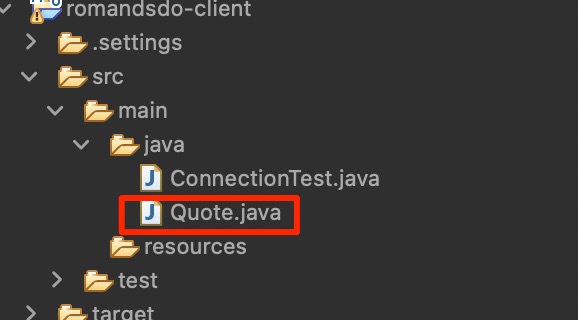
public class Quote {
    public Integer id;
    public String jp;
    public String en;
    public String description;

    @Override
    public String toString() {
        return String.format("[%d]%n%s%n%s%n%s%n",
                id, jp, en,
                description == null ? "" : description);
    }
}
- ApiResponse.java
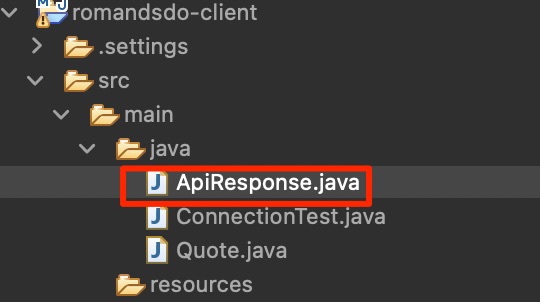
public class ApiResponse<T> {
    public boolean success;
    public T data;
    public String error;
}- RomansDoClient.java
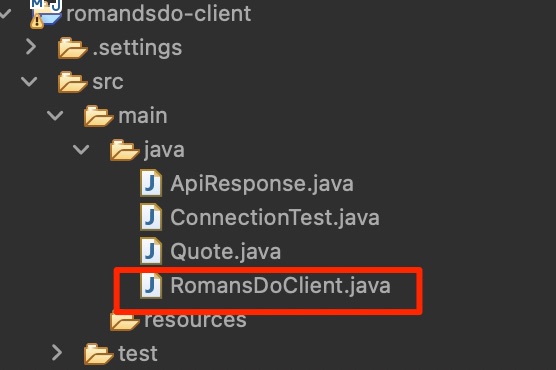
import java.io.IOException;
import java.net.URI;
import java.net.http.HttpClient;
import java.net.http.HttpRequest;
import java.net.http.HttpResponse;
import java.util.List;

import com.fasterxml.jackson.core.type.TypeReference;
import com.fasterxml.jackson.databind.ObjectMapper;

public class RomansDoClient {
	String baseUrl;
	HttpClient httpClient;
	ObjectMapper mapper;

	public RomansDoClient(String baseUrl) {
		this.baseUrl = baseUrl;
		this.httpClient = HttpClient.newHttpClient();
		this.mapper = new ObjectMapper();
	}
	// 一覧取得 GET
	public ApiResponse<List<Quote>> getAll() throws IOException, InterruptedException{
		HttpRequest req = HttpRequest.newBuilder()
				.uri(URI.create(baseUrl))
				.GET()
				.build();
		HttpResponse<String> res=
				httpClient.send(req,HttpResponse.BodyHandlers.ofString());
		return mapper.readValue(
				res.body(),
				new TypeReference<ApiResponse<List<Quote>>>() {}
				);
	}
	// 1件取得 GET {id}
	public ApiResponse<Quote> getById(int id) throws IOException, InterruptedException{
		HttpRequest req = HttpRequest.newBuilder()
				.uri(URI.create(baseUrl + id))
				.GET()
				.build();
		HttpResponse<String> res =
				httpClient.send(req,HttpResponse.BodyHandlers.ofString());

		return mapper.readValue(
				res.body(),
				new TypeReference<ApiResponse<Quote>>(){}
		);
	}
	// 作成 POST
	public ApiResponse<Quote> create(Quote quote) throws IOException, InterruptedException{
		String json = mapper.writeValueAsString(quote);

		HttpRequest req = HttpRequest.newBuilder()
				.uri(URI.create(baseUrl))
				.header("Content-Type", "application/json")
				.POST(HttpRequest.BodyPublishers.ofString(json))
				.build();
		HttpResponse<String> res =
				httpClient.send(req, HttpResponse.BodyHandlers.ofString());

		return mapper.readValue(
				res.body(),
				new TypeReference<ApiResponse<Quote>>() {}
		);
	}
	// 更新 PUT {id}
	public ApiResponse<Quote> update(int id,Quote quote) throws IOException, InterruptedException{
		String json = mapper.writeValueAsString(quote);

		HttpRequest req = HttpRequest.newBuilder()
				.uri(URI.create(baseUrl + id))
				.header("Content-Type", "application/json")
				.PUT(HttpRequest.BodyPublishers.ofString(json))
				.build();

		HttpResponse<String> res=
				httpClient.send(req,HttpResponse.BodyHandlers.ofString());

		return mapper.readValue(
				res.body(),
				new TypeReference<ApiResponse<Quote>>() {}
		);
	}

	// 削除 DELETE {id}
	public ApiResponse<Void> delete(int id) throws IOException, InterruptedException{
		HttpRequest req = HttpRequest.newBuilder()
				.uri(URI.create(baseUrl + id))
				.DELETE()
				.build();
		HttpResponse<String> res=
				httpClient.send(req, HttpResponse.BodyHandlers.ofString());

		return mapper.readValue(
				res.body(),
				new TypeReference<ApiResponse<Void>>() {}
		);
	}
}
アプリケーションクラス
- 以下のようにアプリケーションクラスを作成する(RomansDoApp.java)
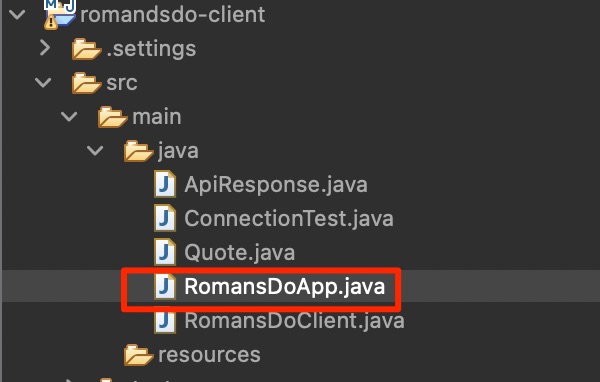
import java.io.IOException;
import java.util.List;
import java.util.Scanner;

public class RomansDoApp {

    private static final RomansDoClient client =
            new RomansDoClient("http://localhost:8080/quotes/");

    public static void main(String[] args) {
        try (Scanner sc = new Scanner(System.in)) {

            while (true) {
                printMenu();
                String choice = sc.nextLine().trim();

                try {
                    switch (choice) {
                        case "1" -> listQuotes();
                        case "2" -> createQuote(sc);
                        case "3" -> updateQuote(sc);
                        case "4" -> deleteQuote(sc);
                        case "5" -> {
                            System.out.println("終了します。");
                            return;
                        }
                        default -> System.out.println("1〜5 を入力してください。");
                    }
                } catch (IOException | InterruptedException e) {
                    System.out.println("通信エラー: " + e.getMessage());
                }

                System.out.println();
            }
        }
    }

    private static void printMenu() {
        System.out.println("==== RomansDo Client ====");
        System.out.print("1. 一覧 2. 作成 3. 更新 4. 削除 5. 終了 >>");
    }

    private static void listQuotes() throws IOException, InterruptedException {
        ApiResponse<List<Quote>> res = client.getAll();
        if (res.success) {
            if (res.data == null || res.data.isEmpty()) {
                System.out.println("データがありません。");
            } else {
                res.data.forEach(System.out::println);
            }
        } else {
            System.out.println("エラー: " + res.error);
        }
    }

    private static void createQuote(Scanner sc) throws IOException, InterruptedException {
        Quote q = new Quote();
        System.out.print("日本語 >>");
        q.jp = sc.nextLine();
        System.out.print("英語 >>");
        q.en = sc.nextLine();
        System.out.print("説明(任意)>>");
        q.description = sc.nextLine();

        ApiResponse<Quote> res = client.create(q);
        if (res.success) {
            System.out.println("登録しました: \n" + res.data);
        } else {
            System.out.println("エラー: " + res.error);
        }
    }

    private static void updateQuote(Scanner sc) throws IOException, InterruptedException {
        System.out.print("更新するID >>"
        		+ " ");
        int id = Integer.parseInt(sc.nextLine());

        // 既存を一度取得して表示
        ApiResponse<Quote> before = client.getById(id);
        if (!before.success || before.data == null) {
            System.out.println("対象が見つかりません: " + before.error);
            return;
        }
        System.out.println("現在:\n" + before.data);

        Quote q = new Quote();
        q.id = id; // 念のためセット
        System.out.print("日本語(空欄で変更なし)>>");
        String jp = sc.nextLine();
        System.out.print("英語(空欄で変更なし)>>");
        String en = sc.nextLine();
        System.out.print("説明(空欄で変更なし)>>");
        String desc = sc.nextLine();

        // 空入力なら元の値を維持
        q.jp = jp.isBlank() ? before.data.jp : jp;
        q.en = en.isBlank() ? before.data.en : en;
        q.description = desc.isBlank() ? before.data.description : desc;

        ApiResponse<Quote> res = client.update(id, q);
        if (res.success) {
            System.out.println("更新しました:\n" + res.data);
        } else {
            System.out.println("エラー: " + res.error);
        }
    }

    private static void deleteQuote(Scanner sc) throws IOException, InterruptedException {
        System.out.print("削除するID >> ");
        int id = Integer.parseInt(sc.nextLine());

        // 既存を一度取得して表示
        ApiResponse<Quote> before = client.getById(id);
        if (!before.success || before.data == null) {
            System.out.println("対象が見つかりません: " + before.error);
            return;
        }
        System.out.println(before.data);
        System.out.print("本当に削除にしてよろしいですか y or n >>");
        String choice = sc.nextLine().trim();
        if(!choice.equalsIgnoreCase("y")) {
        	System.out.println("削除を中止しました");
        	return;
        }

        ApiResponse<Void> res = client.delete(id);
        if (res.success) {
            System.out.println("削除しました。");
        } else {
            System.out.println("エラー: " + res.error);
        }
    }
}
検証
- 実行してみよう。実行例のように表示されれば成功だ

コメント